WhatsApp Canteen Ordering: 5 Powerful Benefits for Corporate Canteens and Tuckshops
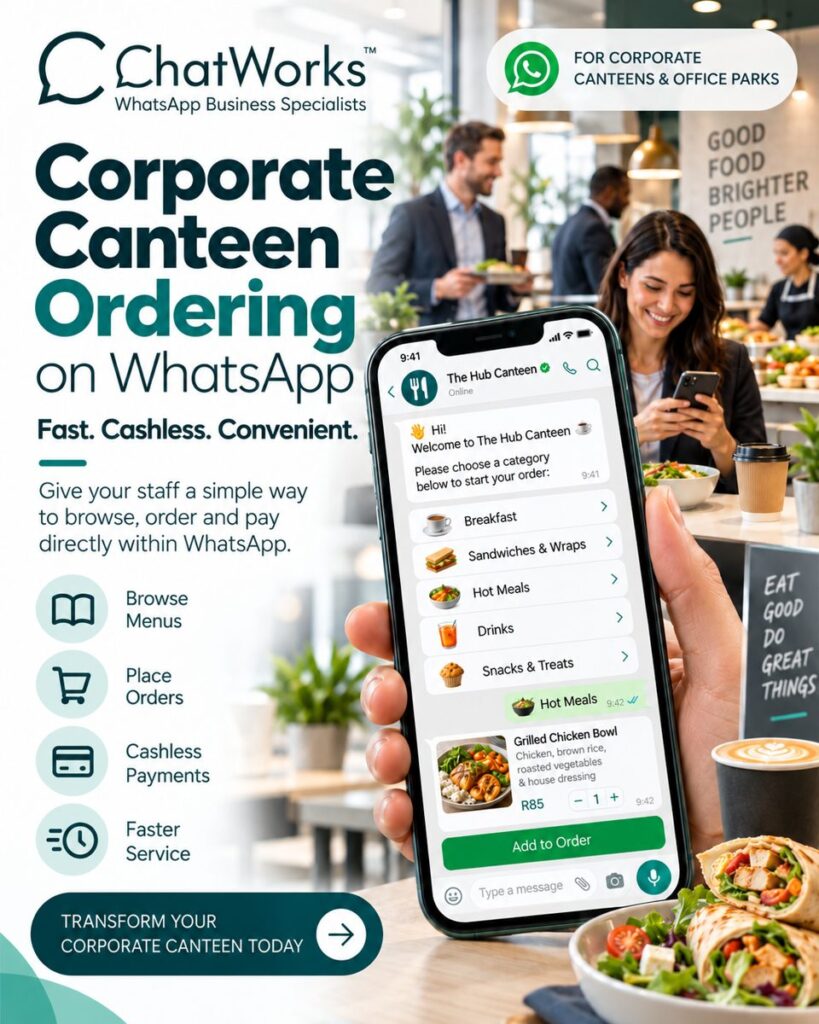
Long lunch queues, cash floats and handwritten order slips slow every canteen down. WhatsApp canteen ordering with the ChatWorks eStore fixes that. Staff, learners and visitors browse the menu, place an order and pay – all inside WhatsApp. It’s fast, cashless and convenient for corporate canteens, office parks and tuckshops across South Africa.
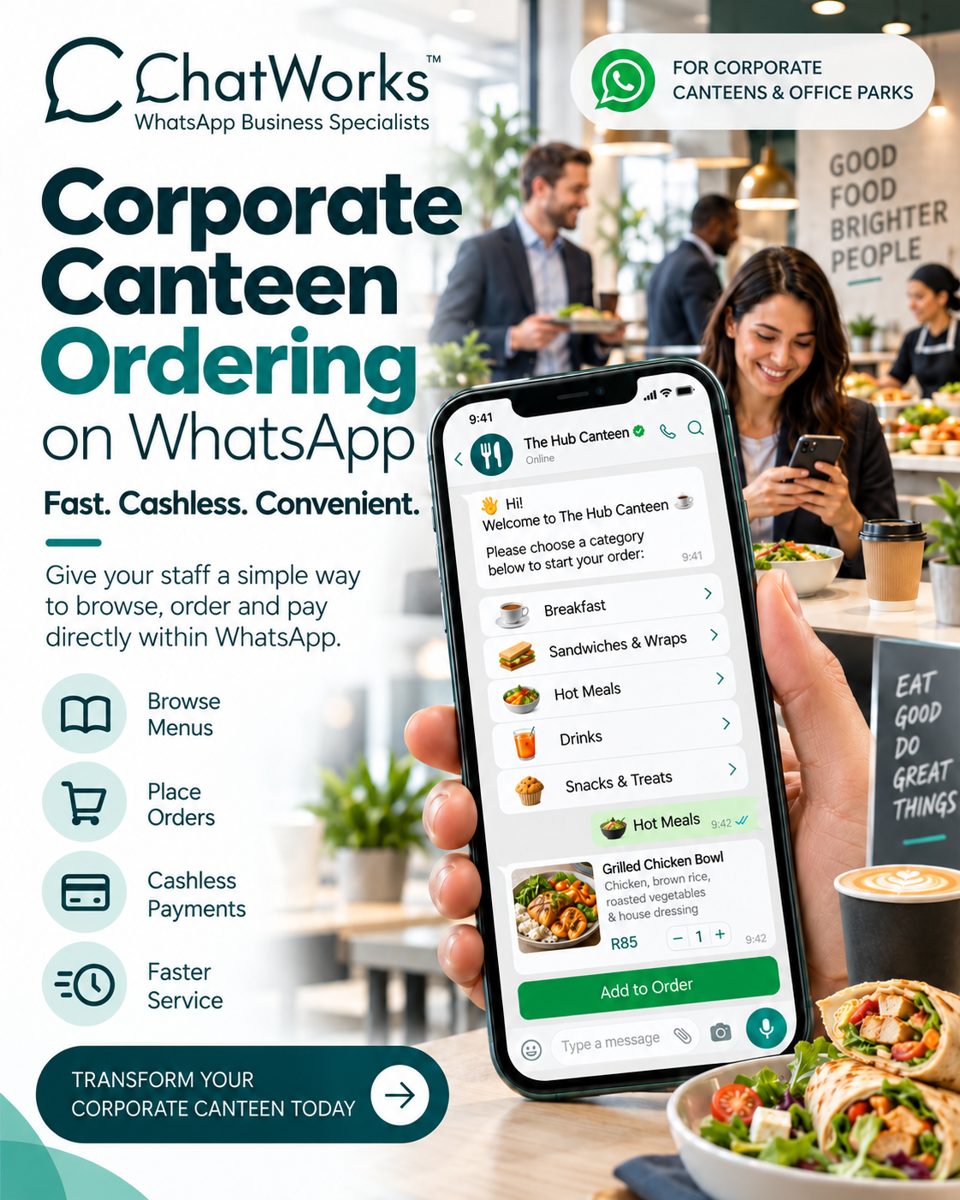
Table of Contents
The Problem With Traditional Canteens and Tuckshops
Whether it’s a busy office park at 12:30 or a school tuckshop at break, the same problems repeat themselves every day:
- Long queues – people waste their break standing in line.
- Cash handling – counting change, managing floats and reconciling takings.
- Order mistakes – shouted or handwritten orders get mixed up.
- Food waste – without pre-orders, it’s hard to know how much to prepare.
- No data – little insight into what sells, when and to whom.
Everyone already has WhatsApp on their phone. So why make them download another app or stand in another queue?
What Is the ChatWorks WhatsApp eStore?
The ChatWorks WhatsApp eStore lets you sell directly inside WhatsApp. For canteens and tuckshops, it becomes a complete ordering system: an interactive menu, a cart, secure payments and order notifications – all in a single chat on your WhatsApp Business number.
As an Official Meta Tech Partner, ChatWorks runs on the official WhatsApp Business Platform, so your canteen gets a verified, branded and reliable ordering channel.
How WhatsApp Canteen Ordering Works
- Say hi – the customer messages your canteen’s WhatsApp number (or scans a QR code at the counter).
- Browse menus – they choose a category such as Breakfast, Sandwiches & Wraps, Hot Meals, Drinks or Snacks & Treats.
- Place the order – they view items with photos, descriptions and prices (for example, a Grilled Chicken Bowl for R85) and tap Add to Order.
- Pay cashless – a secure payment link lets them pay by card or instant EFT without leaving WhatsApp.
- Collect – the kitchen receives the order and the customer gets a WhatsApp notification when it’s ready.
5 Key Benefits of a WhatsApp Canteen Ordering System
1. Browse Menus Anytime
Your full menu sits inside WhatsApp, with categories, photos and prices. Update daily specials in minutes – no printing, no app store updates.
2. Place Orders in Seconds
A familiar chat with tap-to-select options makes ordering quick and easy. Orders arrive clearly itemised, so there are no misheard requests or lost slips.
3. Cashless Payments
Integrated payments let customers pay securely in the chat. ChatWorks integrates with leading South African payment providers such as Yoco, PayFast and Ozow, reducing cash handling and simplifying reconciliation.
4. Faster Service and Shorter Queues
Pre-orders spread demand across the morning, so the kitchen can prepare ahead and customers simply collect. Lunch breaks are spent eating, not queuing.
5. Better Planning and Less Waste
Every order is recorded, giving you real data on best-sellers and peak times. Prepare the right quantities, reduce waste and plan menus with confidence.
WhatsApp Ordering for Corporate Canteens and Office Parks
Corporate canteens and office park food courts serve hundreds of busy employees in a short window. A WhatsApp eStore lets staff order from their desk, pay cashlessly and collect on the way to a meeting. Facilities managers get a modern, staff-friendly service that supports wellbeing – good food, brighter people.
A Smarter Tuckshop Ordering System
School, campus and sports-club tuckshops benefit too. Orders and payments happen digitally, reducing the need for cash at the counter and speeding up service during short breaks. Tuckshop operators can share menus, run specials and announce new items directly on WhatsApp.
Traditional Canteen vs WhatsApp eStore
| Traditional canteen or tuckshop | ChatWorks WhatsApp eStore |
|---|---|
| Long queues at peak times | Pre-order and collect |
| Cash and change | Cashless payments in WhatsApp |
| Printed menus | Live, updatable digital menu |
| Handwritten or shouted orders | Clear, itemised digital orders |
| Guesswork on quantities | Order data to plan and reduce waste |
How to Get Started
- Connect your WhatsApp Business number to ChatWorks.
- Load your menu categories, items, photos and prices into the eStore.
- Connect your preferred payment provider.
- Share your WhatsApp number or QR code with staff and customers – and start taking orders.
Learn more about the WhatsApp eStore with ChatWorks, compare ChatWorks pricing and features, or read about the WhatsApp Business Platform from Meta.
Frequently Asked Questions
What is WhatsApp canteen ordering?
It’s a way for staff, learners or visitors to browse a canteen or tuckshop menu, place an order and pay directly inside WhatsApp, using the ChatWorks eStore on your WhatsApp Business number.
Do customers need to download an app?
No. Customers use the WhatsApp app they already have. They simply message your canteen’s number or scan a QR code to start ordering.
How do customers pay for WhatsApp orders?
Customers pay through a secure payment link inside WhatsApp. ChatWorks integrates with South African payment providers such as Yoco, PayFast and Ozow.
Can I update my canteen menu and prices easily?
Yes. Menu categories, items, photos, prices and daily specials can be updated in the eStore at any time, without printing new menus.
Is the ChatWorks eStore suitable for school tuckshops?
Yes. Tuckshops at schools, campuses and sports clubs can use the WhatsApp eStore to take digital orders and cashless payments, speeding up service during short breaks.
Transform Your Corporate Canteen Today
Give your staff and customers a simple way to browse, order and pay directly within WhatsApp. Fast. Cashless. Convenient.
Book a ChatWorks demo or email hello@chatworks.co.za to set up WhatsApp ordering for your canteen or tuckshop.